

Conference & Lecture Interpretation
What the Audience Sees
What the audience sees and taps after scanning the QR. Feel free to pass this tab on to them as it is.
Based on the September 2026 build · click any screenshot to enlarge.
※ Click any screenshot to enlarge.
1
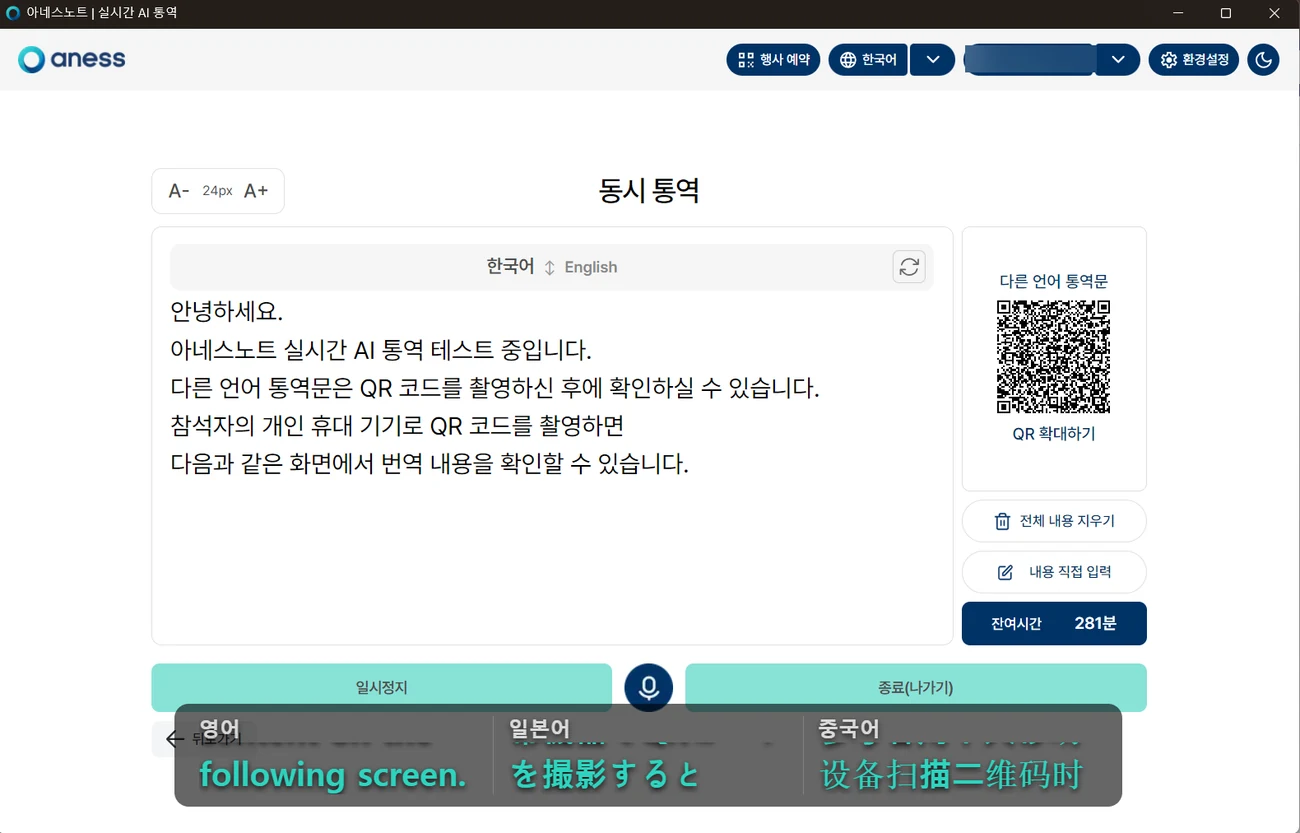
Scan the QR and open it
No app, no sign-up. Point the phone camera at the QR and it opens.
- 1Open the camera and point it at the QR. Tap the link that appears (note.aness.ai).
- 2The QR lives in two places — the printed material you handed out, and the [Other languages] card on the interpretation screen.
- 3Press [Enlarge QR] to blow it up full screen so people at the back can scan it too.
 1
NoteA QR created through event booking never changes address — the printed one and the on-screen one lead to the same place.
A session started with [Start now] gets a new QR every time and will not match your printed material.
A session started with [Start now] gets a new QR every time and will not match your printed material.
2
Pick a language
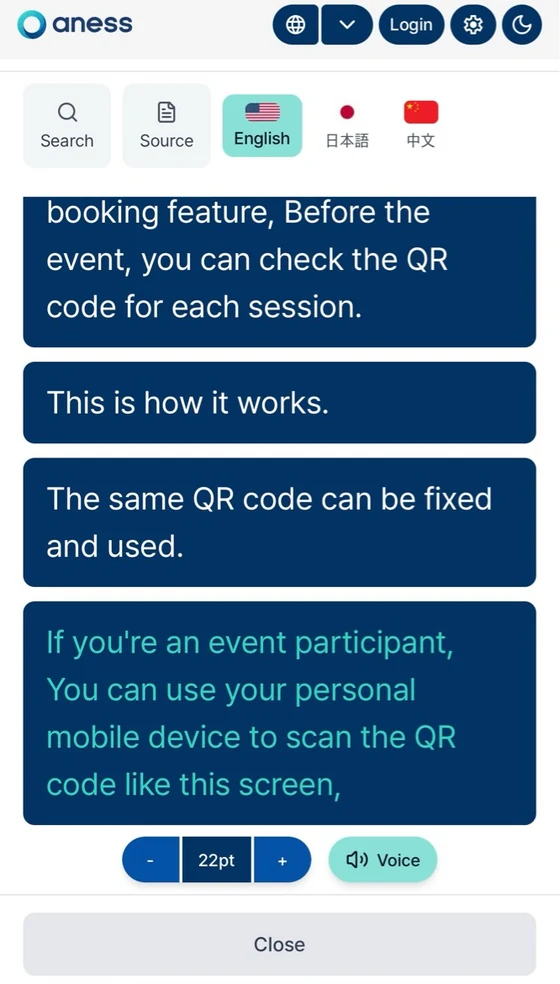
Choose from the tabs at the top — you can switch at any time during the talk.
- 1Pick from the language tabs at the top — Korean · English · Japanese · Chinese.
- 2You can switch at any time — the text continues in the new language.
- 3The list is set by the organiser under [QR scan languages]. A language that is not there will not appear as a tab — add what you need before the event.
 1
3
Read along and size the text
Lines stack up as the speaker talks, and you can scroll back.
- 1Lines stack up one by one as the speaker talks — scroll up to revisit earlier lines.
- 2Use [Search] to find a word in what has already been said.
- 3[Source] shows what the speaker actually said instead of the translation — handy for checking proper nouns.
- 4Change the text size with [- 22pt +] at the bottom; the moon icon at the top right switches to dark mode.
2344
4
Listen to it (Voice · TTS)
The interpretation can be read aloud. The button appears only on events created with anessNote 3.0.
- 1Press [Voice] at the bottom and the interpretation is read aloud.
- 2Plug in earphones or headphones first so the sound does not spill into the room.
- 3If [Voice] is missing, the event was created on anessNote 2.0 — and the engine cannot be changed mid-event.
1CarefulEven with earphones in, no sound comes out while the phone is on silent.
Check the side switch on an iPhone, or the ringer volume on Android.
Putting this one line in your on-site guidance cuts the questions dramatically.
Check the side switch on an iPhone, or the ringer volume on Android.
Putting this one line in your on-site guidance cuts the questions dramatically.
5
Material to hand to the audience
One slide for the venue screen and one A4 sheet for attendees — download and use as they are.
- 1Notice slide for the venue screen — show it before each session and during breaks. PDF · PPTX (editable)
- 2A4 handout for attendees — the QR box is left blank, so drop in your event QR before printing. PDF
- 3Four things to always include — bring your own device and earphones · connect to Wi-Fi or data · turn off silent mode · rescan the QR when the date changes.
NoteThese two are the standard anessNote notices. To add your event name or logo, open the PPTX and change the text — leaving the colours and typeface as they are keeps them legible.