
Guide
[Three Days of a Conference Organiser]
How to finish an event without interpretation worries
Lower interpreter costs, higher accuracy on specialist terms.
We follow Manager Kim through three days of running a global conference for a medical device company, and the worries he cleared one by one.
Aness · Conference & Lecture Interpretation · aness.ai/conference
※ Click any screenshot to enlarge.
Following one organiser through three days
Hello, this is TEAM XEROCODE 🙂
Let us start with one person’s story. Manager Kim has just been handed a global conference at a medical device company. Facing his first multilingual event, we follow the moments interpretation kept him up at night — and how he cleared them one by one. It may well be your story too 👇
💰 D-14: “I read the interpreter quote twice”
The first thing Manager Kim did was ask for interpreter quotes — and the numbers stopped him cold. Fifteen speakers, three languages (English, Chinese, Vietnamese), two days. With one interpreter per language and fees by the hour, the total blew straight past his budget.
“Should we just cut the language support?” While he weighed it up, his team lead pointed him to anessNote, an AI simultaneous interpretation service.
anessNote | Conference & Lecture Interpretation ▶ aness.ai/conference
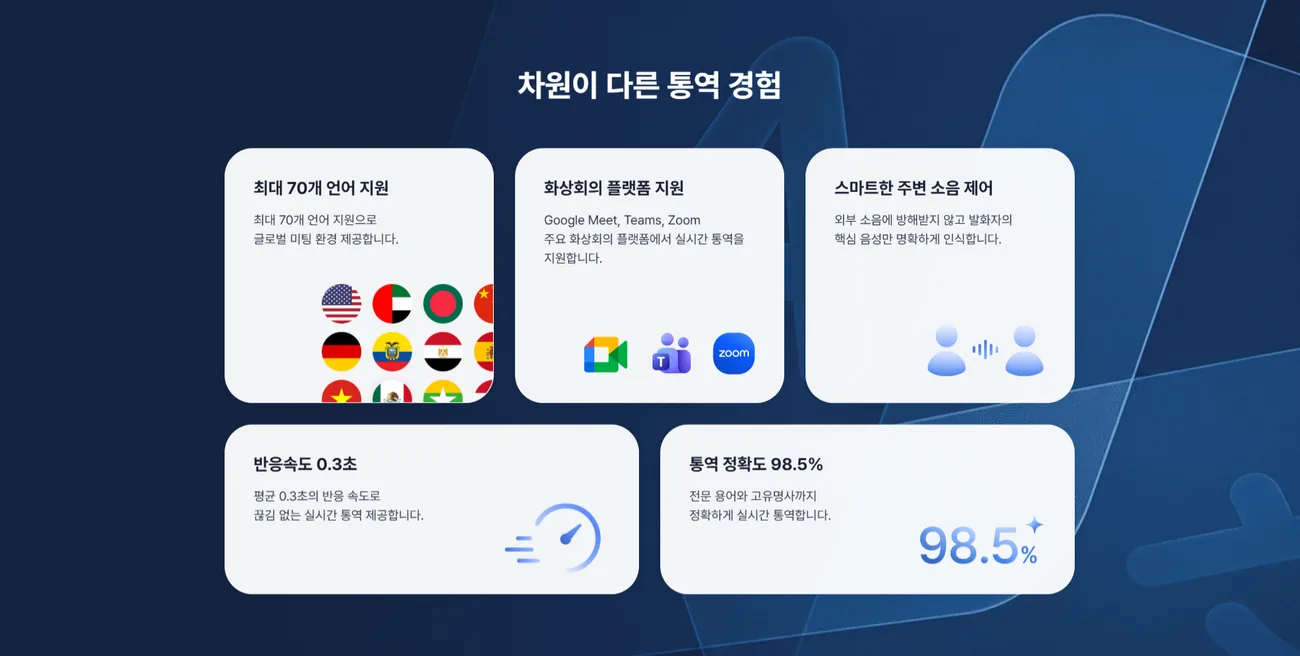
The multilingual support he had been ready to drop over cost went back on the table.
📝 D-3: “Will all this jargon come out right?”
With the service settled, a new worry arrived. Opening the speakers’ decks, he found presenter names, product names not yet public, company proper nouns, industry jargon and English acronyms everywhere. “If a speaker’s name or a product name shows up wrong on stage…” He knew a single mistranslated proper noun could undercut the conference’s credibility.
So three days out he used the custom glossary, pulling names, product names and key terms from the speakers’ material and registering them in advance.
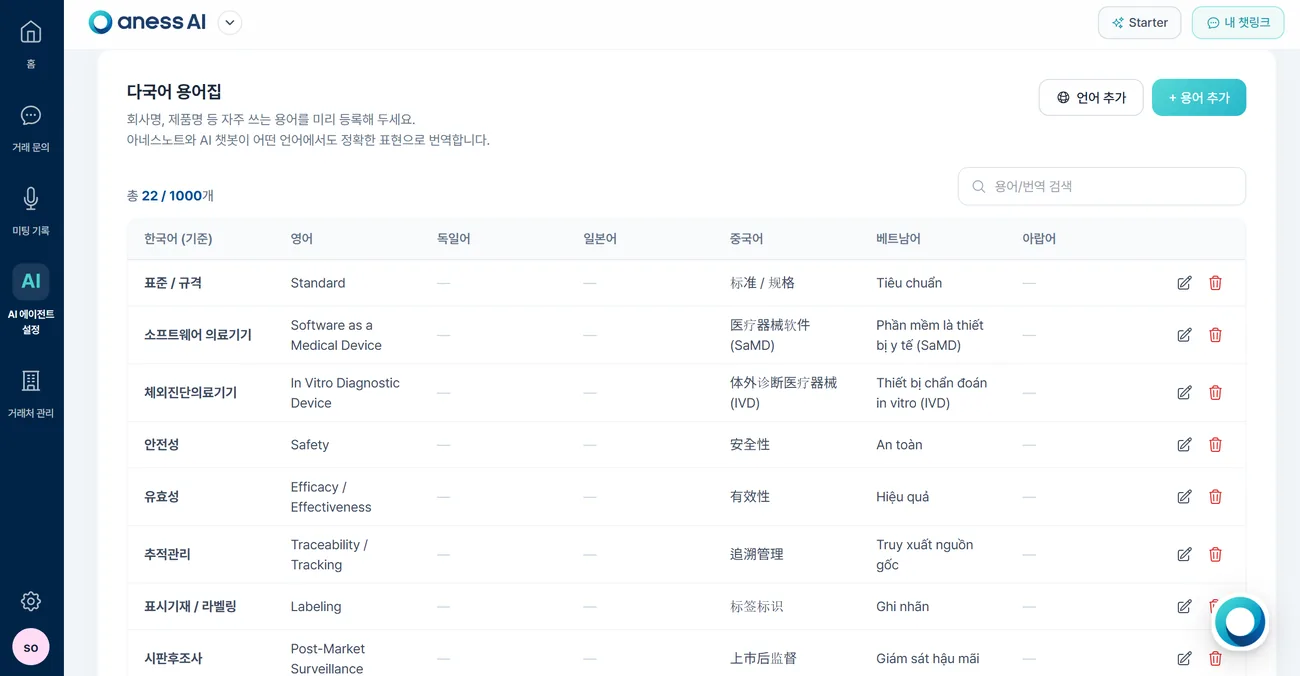
- 👉 So that everything — from proper nouns like speaker, product and company names to complex medical and technical terms — is interpreted exactly right.
- 👉 So that registered terms come out the same way every single time.
Rather than firefighting on the day, he headed the problem off beforehand.
📖 How to register a custom glossary
🖥️ D-Day, morning: “What if the audience has to look back and forth?”
Rehearsal morning. Looking at the stage, another worry surfaced: with the slides on one screen and subtitles on another, the audience’s attention would split. Side monitors are expensive — and they only give the audience a sore neck.
His answer was floating subtitles — a caption layer laid smoothly over the slides themselves.
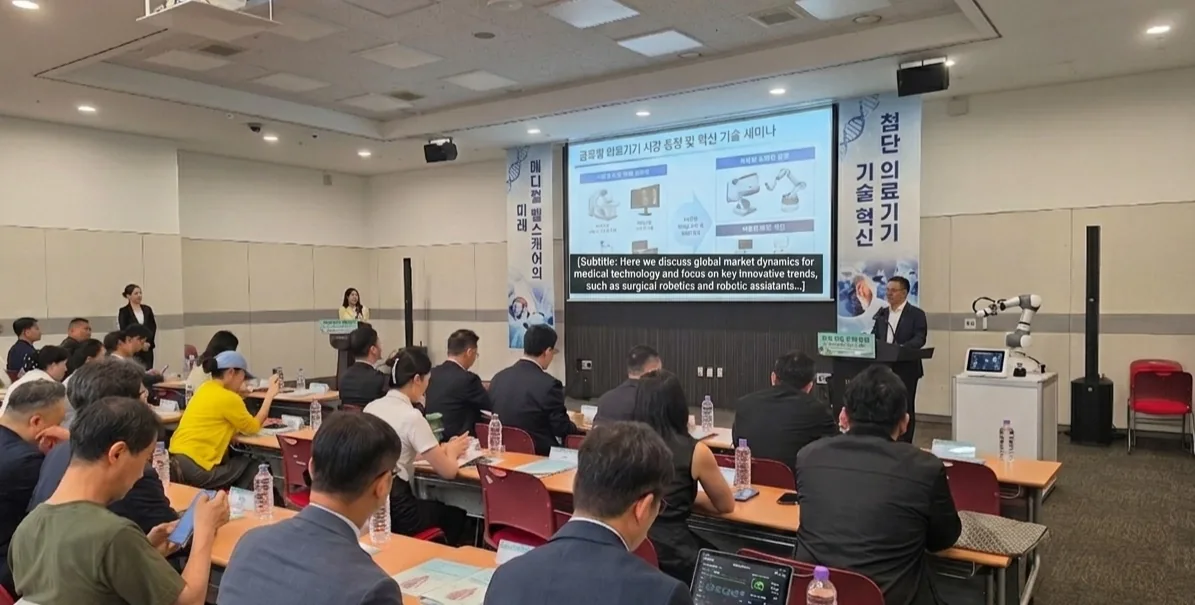
- 👉 Tune subtitle opacity and font size to match the event’s slide design,
- 👉 so the audience takes in the talk and the interpretation on a single screen.
Watching the rehearsal, Manager Kim finally relaxed a little.
📖 How to use floating subtitles
🎤 D-Day, afternoon: “A slurred word, and a typo hit the screen”
The event began and everything seemed to be running smoothly. Then a speaker’s words slurred for a moment and a misrecognised word appeared in the subtitles. Just as a cold sweat started down Manager Kim’s back —
— a staff member backstage caught it instantly with live remote subtitle editing. The text corrected from the admin account updated on the audience screen in real time, and most of the room never knew anything had happened.
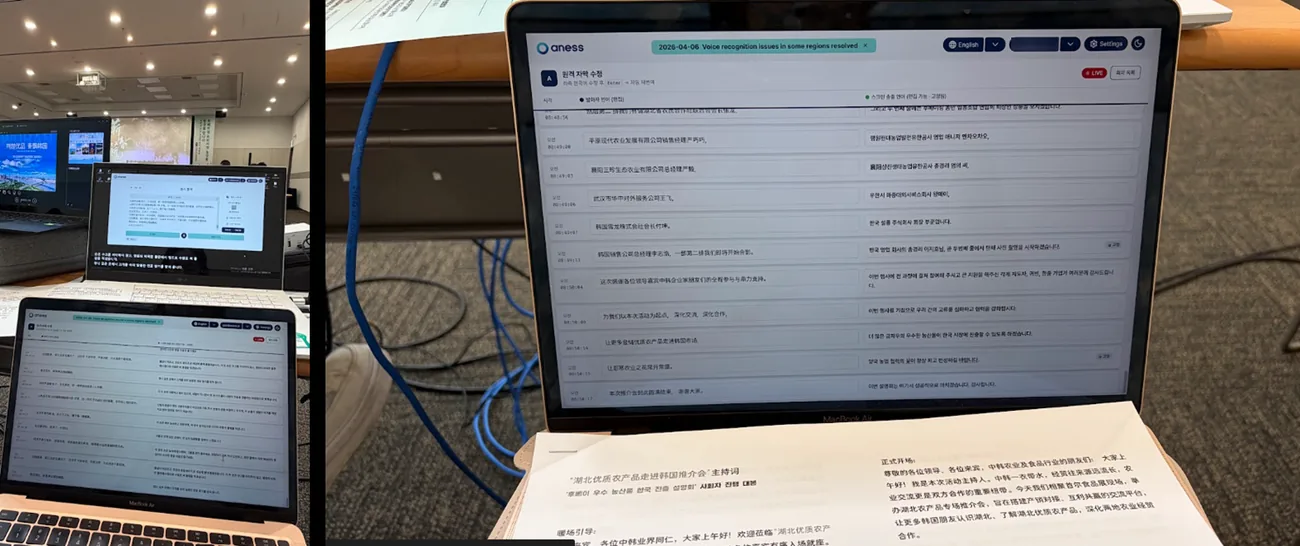
- 👉 Even words the mic never picked up cleanly — through room noise, feedback or mumbling —
- 👉 can be fixed quietly from backstage, live.
That was when it clicked for him: a flawless event is not one without mistakes, but one with a system that fixes them before anyone notices.
📖 How to use remote subtitle editing
📊 Right after the event: “Now the write-up… another all-nighter”
As the crew began packing up, one last worry surfaced. He still had to re-listen to talks in several languages, type them out and turn them into a report — the task that always drags the organiser into overtime.
This time was different. He downloaded two things straight from the anessAI dashboard.
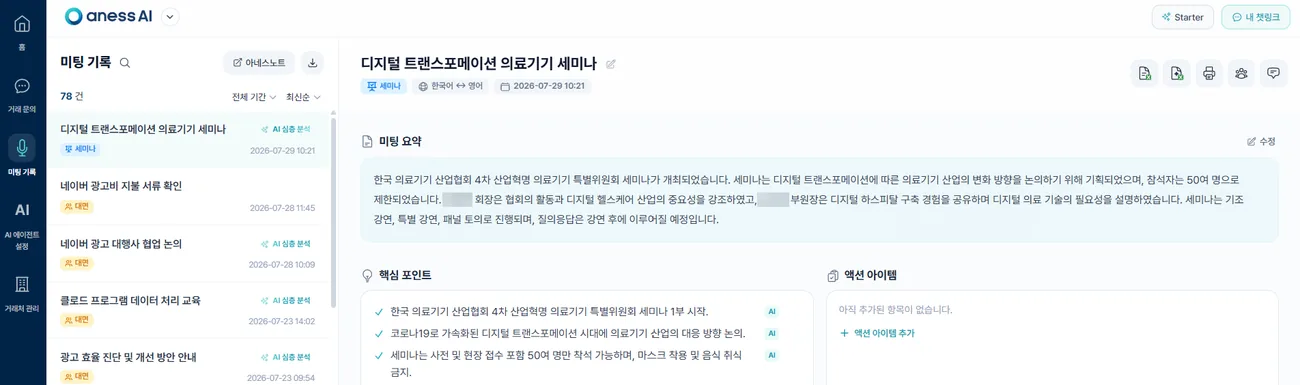
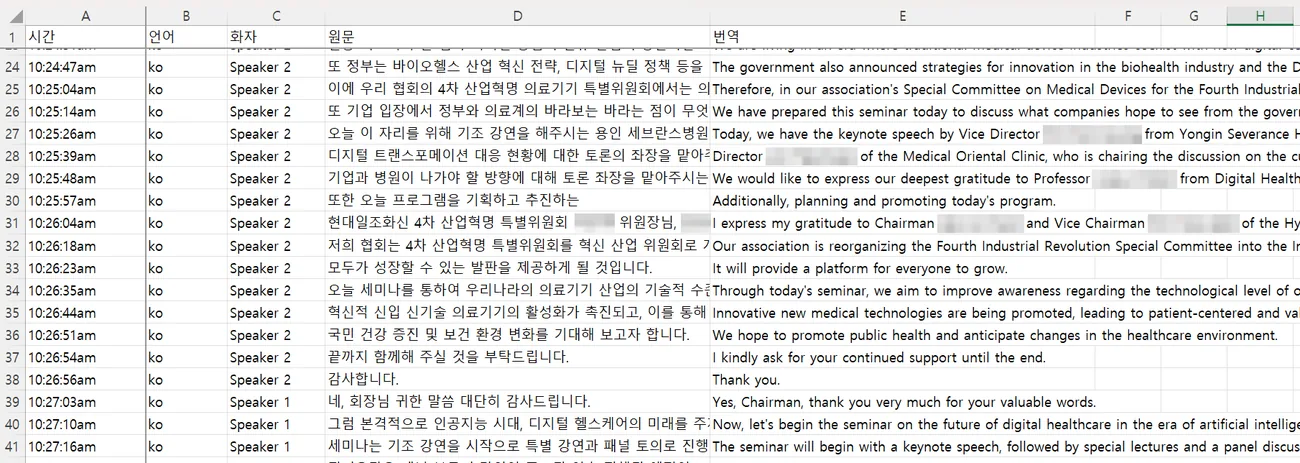
- 👉 The full transcript and translation file, with every live correction applied
- 👉 An AI report summarising each talk down to the essentials
The whole re-listen-and-transcribe stage simply vanished. He closed his laptop far earlier than he had expected.
📖 How to review meeting records and deep-dive reports
✨ And on to the next event
The manager who once froze in front of an interpreter quote has now run a whole conference — from preparation to the final report — without worrying about interpretation once.
Built on real feedback from countless business settings, anessNote is back with sharper professional interpretation. Put the cost and the worry down, and run the global event your audience deserves.
If you would like to join us on the journey, just get in touch 🙋♂️
👉 See the Conference & Lecture Interpretation service ▶ aness.ai/conference